
What you need
In short
Section titled “In short”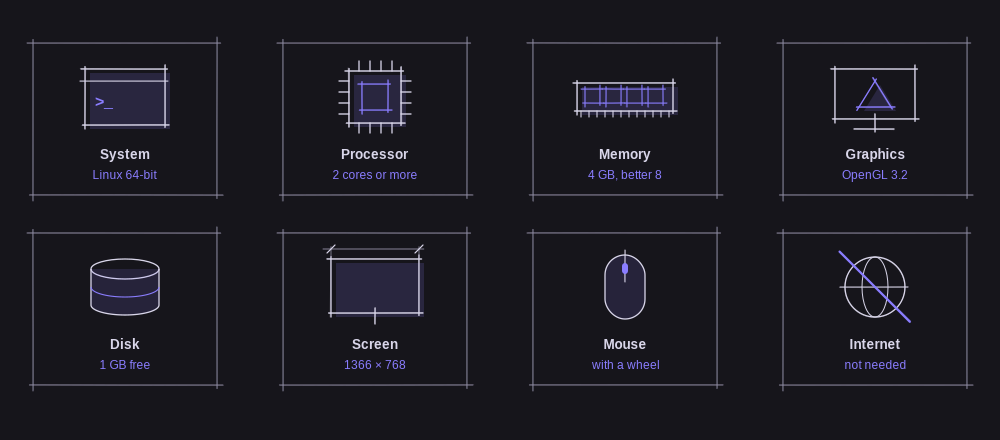
| Enough | Better | |
|---|---|---|
| System | Linux, 64-bit, on a PC (x86-64): Ubuntu 22.04, Debian 12, Fedora 35, Linux Mint 21 or newer | the latest version of your distribution |
| Processor | 2 cores | 4 cores or more |
| Memory (RAM) | 4 GB | 8 GB or more |
| Graphics | OpenGL 3.2: the graphics built into the processor are enough | any graphics card |
| Disk | 1 GB free | |
| Screen | 1366 × 768 | 1920 × 1080 or more |
| Mouse | with a wheel | three buttons (a wheel you can click) |
| Internet | not needed |
Measured on a modest computer
Section titled “Measured on a modest computer”Tensela was developed and tested every day on a modest computer, on purpose: a small desktop computer with a 4-core Intel processor of the N100 family, the graphics built into the processor and no graphics card.
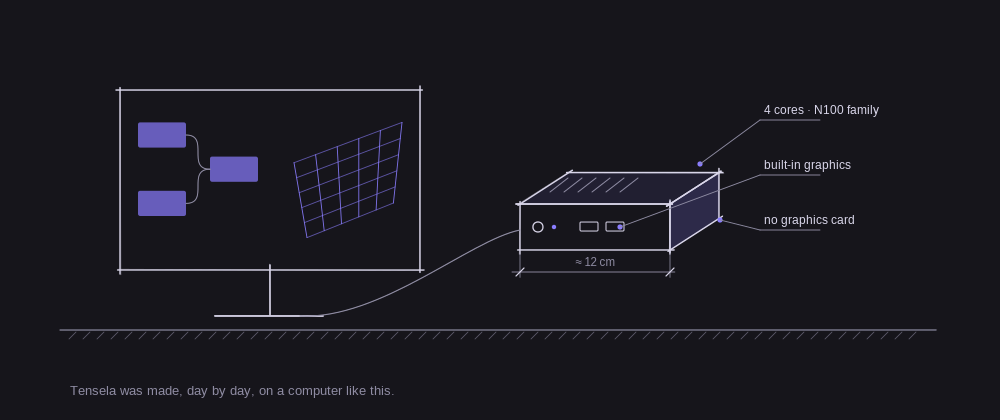
If it runs well here, it should run well on an ordinary computer that meets the system above.
What it used on that computer:
| Memory | Time | |
|---|---|---|
| The window open, empty | about 450 MB | opens in a few seconds |
| The window with a project, from the first project to the largest examples | 450 to 520 MB | |
| The heaviest calculations of the examples (topology optimisation of a bridge or a tree) | under 200 MB more | 4 to 7 seconds |
So a computer with 4 GB of memory is enough for Tensela and the system; with 8 GB you can keep a browser and other programs open beside it.
The system
Section titled “The system”- Linux on a PC (x86-64). Tensela needs the system libraries of Ubuntu 22.04, Debian 12, Fedora 35, Linux Mint 21 or any newer distribution (glibc 2.34). Computers with Arm processors (a Raspberry Pi, a Mac with an Apple processor) are not supported yet.
- Wayland and X11 both work. On GNOME with Wayland, Tensela goes through X11, so its panels can be dragged out of the window; the small libraries it needs for that come inside Tensela.
- In a virtual machine, turn on its 3D acceleration.
- Windows and macOS: not yet. Tensela was born for Linux; versions for Windows and macOS are planned for when there are resources to do them well (who makes Tensela).
The graphics
Section titled “The graphics”The 3D view needs OpenGL 3.2 or newer, which almost all graphics of the last ten years have, including those built
into the processor. To check yours, in a terminal: glxinfo -B and look at OpenGL core profile version (on Ubuntu and
Debian glxinfo comes in the mesa-utils package). The drivers that come with your distribution are enough.
Internet
Section titled “Internet”Tensela does not need internet to work: everything happens on your computer. More in Free, offline and yours.