
Preferences
Edit → Preferences… (Ctrl + ,). Changes show at once and are remembered.
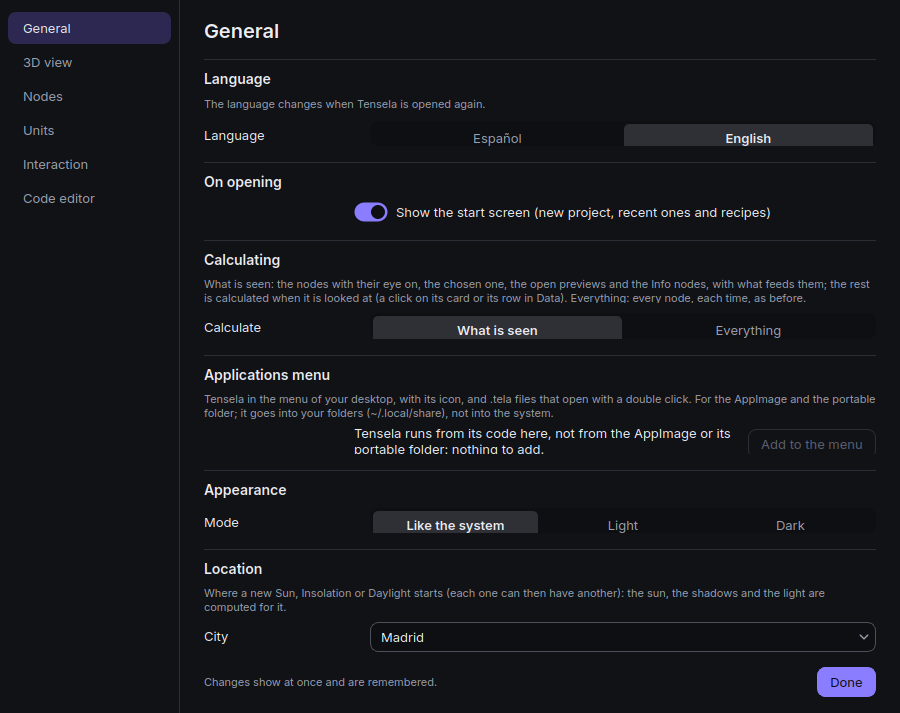
| Section | What you set |
|---|---|
| General | the language (English or Español; it changes when Tensela is opened again); the mode, light, dark or like the system; the location where a new Sun, Insolation or Daylight starts |
| 3D view | the style on opening, the background, whether to show the axes |
| Nodes | how the node cards are drawn: neutral with a strip of colour, or the header fully coloured; the canvas background and pattern (dots, square grid or plain), the grid and the guides |
| Units | the unit lengths are shown in (m, cm, mm, feet or inches), the decimals, and the inch fraction |
| Interaction | the mouse scheme of the 3D view (Tensela, Blender, Rhino or SketchUp), where the wheel zooms, and the keyboard shortcuts: click one and press the new keys |
| Code editor | the colours, the letter and its size, and the helps while writing in a Code node |
You can type a length in any unit, 120 cm, 4', 6 1/2", and a plain number is read in the unit you chose.
The project is always saved in metres, so it opens the same for anyone.